iCharger DUO Resistor Bank Setup | 40A Discharge Guide

iCharger DUO Resistor Bank Setup | 40A Discharge Guide

Ready to see what your batteries can really do? Setting up your RC Discharger Resistor Bank correctly is the key to achieving those high-amp discharges that give you the “punch” you need on the track.

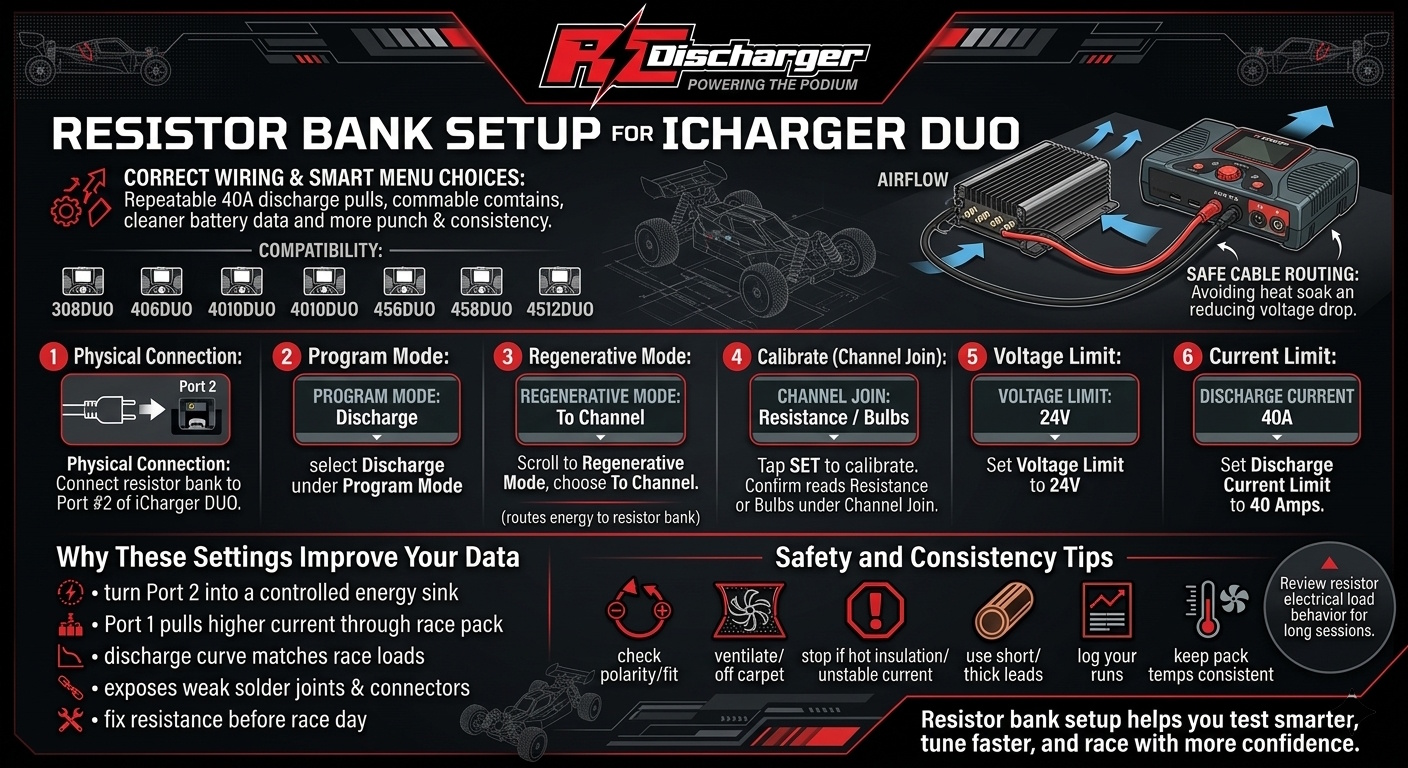
Follow this precision guide to configure your iCharger DUO (308DUO, 406DUO, 4010DUO, DX6, DX8, DX12, 456DUO, 458DUO and 4512DUO) for maximum performance.

Step-by-Step Configuration:

  1. Physical Connection: Connect your battery discharger (resistor bank) to Port #2 of your iCharger DUO.
  2. Program Mode: Navigate to the menu and select Discharge under the Program Mode settings.
  3. Regenerative Mode: Scroll to the Regenerative Mode option and select To Channel. This tells the charger to dump the energy into the resistor bank on the other port.
  4. Calibrate (Channel Join): Tap the SET button to calibrate. Under the Channel Join setting, ensure the iCharger reads “Resistance or Bulbs”.
  5. Voltage Limit: Set your Voltage Limit to 24V.
  6. Current Limit: Set your Discharge Current Limit to 40 Amps.

Why the Settings Matter

By setting the charger to “To Channel” mode, you are essentially turning Port 2 into a massive energy sink. This allows you to pull high current (up to 40A) through your race packs on Port 1, simulating real-world race conditions and lowering internal resistance for maximum power.

Pro-Tip: Always double-check your connections before hitting “Start.” A solid connection ensures accurate IR readings and consistent discharge curves!

How to Update iCharger via SD Card | No Windows Required

How to Update iCharger via SD Card | No Windows Required

Tired of fighting with Windows drivers or USB cables? At RC Discharger, we’ve made updating your iCharger plug-and-play. Whether you’re a Mac user or at the track without a laptop, our pre-loaded Micro SD card has you covered.

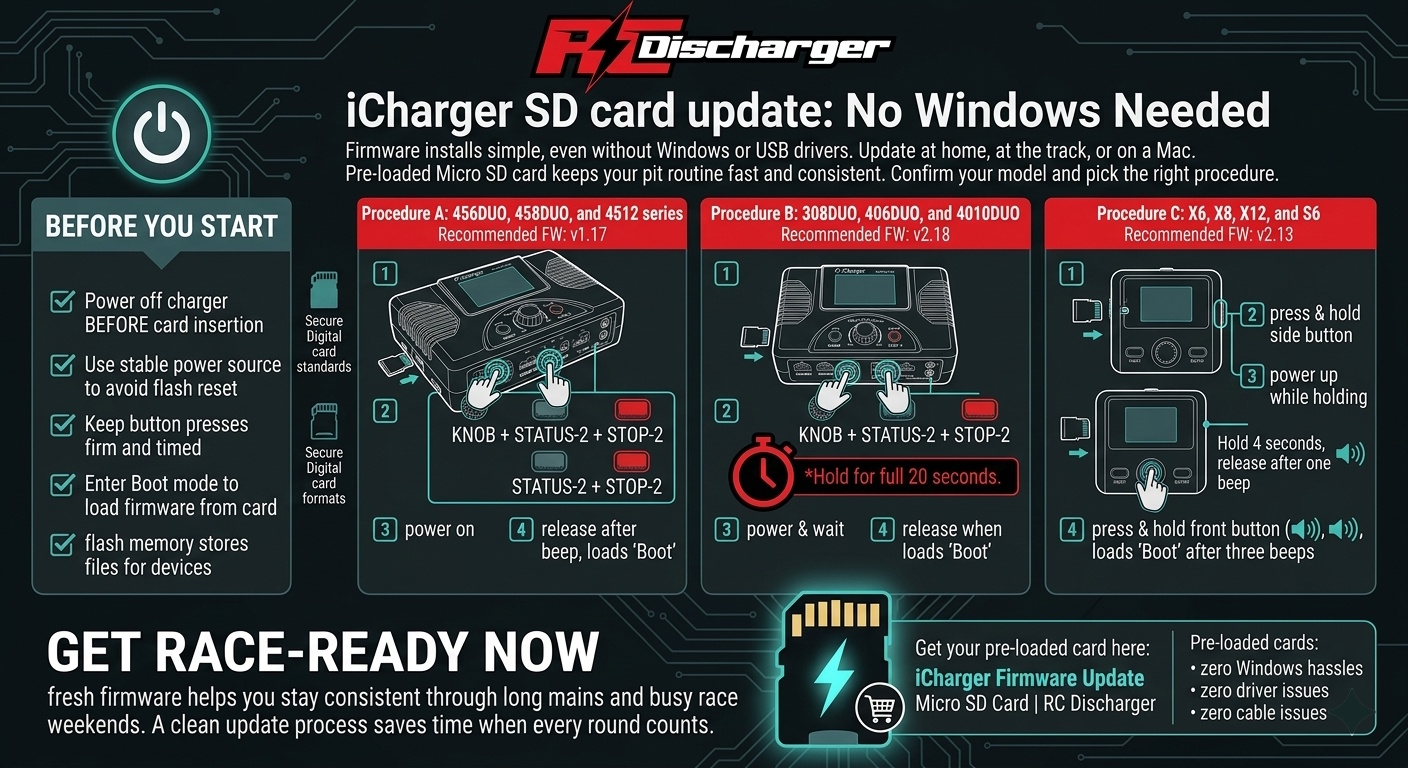
Depending on which iCharger you use, there are two distinct procedures to ensure a successful flash. Follow the steps for your specific model below:

Procedure A: For 308DUO, 406DUO, and 4010DUO

Recommended Firmware: v2.18

  1. Insert: Plug the RC Discharger Micro SD Card into your charger’s slot.

  2. The Combo: Press and hold these three buttons: KNOB + STATUS-2 + STOP-2.

  3. Power & Wait: While holding the buttons, power on your charger. Continue holding all three buttons for a full 20 seconds.

  4. Release: Once 20 seconds have passed and you see “Boot” on the screen, release the buttons.

Procedure B: For DX6, DX8, DX12, X6, X8, X12, S6, and 45x Series

Recommended Firmware: v2.13 (X/S Series) | v1.17 (DX/45x Series)

  1. Insert: Plug the RC Discharger Micro SD Card into your charger’s slot.

  2. The Combo: Press and hold these three buttons: KNOB + STATUS-2 + STOP-2.

  3. Power Up: While holding the buttons, power on your charger.

  4. Release: As soon as the screen changes and you see “Boot”, release the buttons immediately.

Get Race-Ready Now

Your charger is now flashed and ready for the main event—no drivers, no cables, and zero Windows required. Keep your pit setup on the cutting edge for maximum performance.

Get your pre-loaded card here: iCharger Firmware Update Micro SD Card | RC Discharger

Professional LiPo Safety Guide | Prevent RC Battery Fires

Professional LiPo Safety Guide | Prevent RC Battery Fires

LiPo batteries are the lifeblood of RC racing, delivering the massive “punch” we need for the podium. But they are volatile. Mistreating them doesn’t just kill your performance—it creates a serious fire hazard.

At RC Discharger, we want you to stay fast AND safe. Follow these non-negotiable rules to protect your equipment and your home.

The “Never” Rules: Voltage & Time

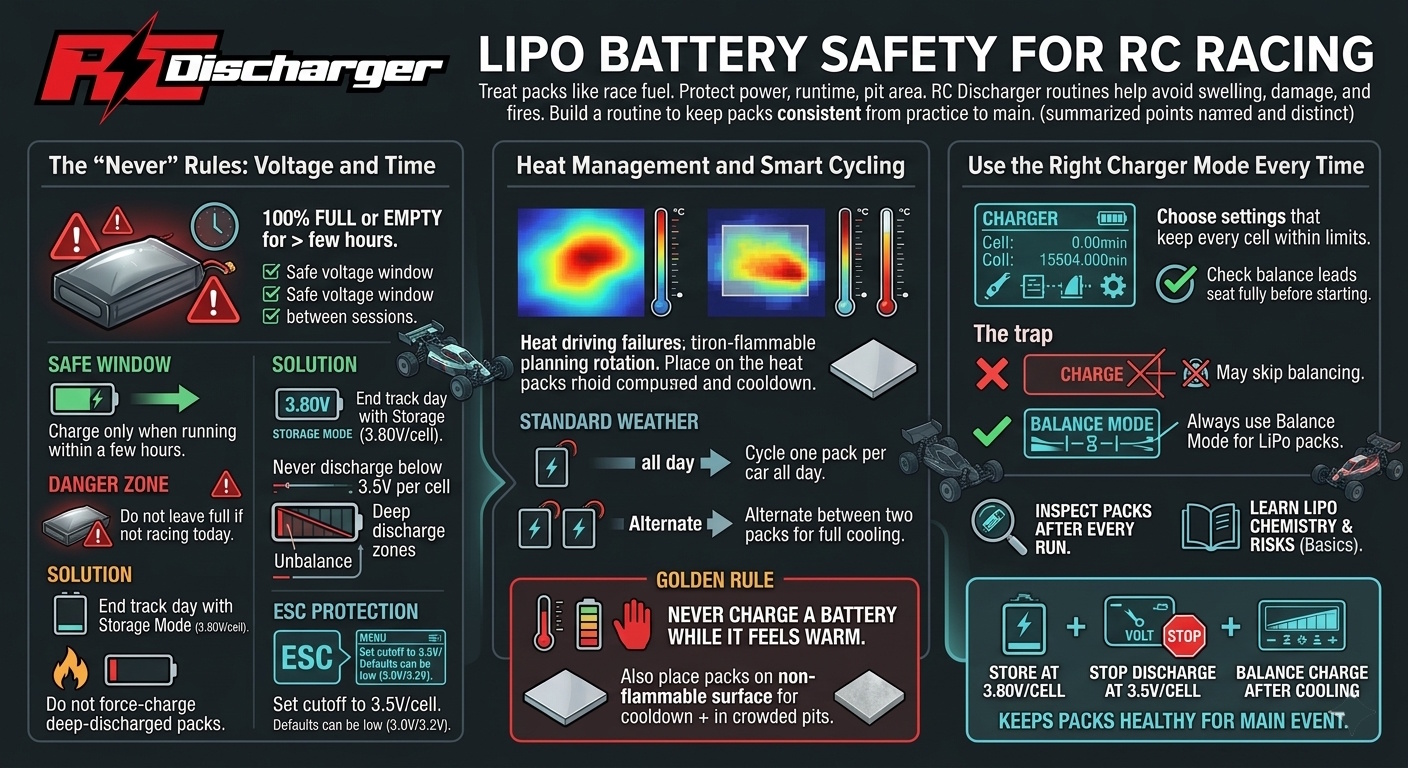
  1. Never leave a battery 100% full or “empty” for more than a few hours.

    • The Safe Window: It’s okay to have a pack charged if you’re running it within a few hours.
    • The Danger Zone: If you aren’t racing today, don’t leave it full. A full LiPo is chemically unstable; leaving it creates swelling (puffing) and a high fire risk.
    • The Solution: Always end your track day by putting every battery into Storage Mode (~3.80V per cell).
  1. Never discharge below 3.5V per cell.

    • Dropping into the “death zone” (below 3.0V) permanently damages the chemistry.
    • Fire Risk: If you force-charge a battery that was drained too low, it is highly likely to ignite.

CRITICAL: Dial in Your ESC Settings

Don’t guess when to pull off the track. Let your electronics protect your investment.

  • Set your Low Voltage Cutoff (LVC): Enter your ESC program settings.
  • The Target: Set the cutoff to 3.5V per cell.
  • The Warning: Many factory defaults are set to 3.0V or 3.2V. By the time the car stops at those levels, the battery is often already overheating. Set it to 3.5V to stay in the safe zone.

Heat Management & Cycling

Heat is the ultimate enemy of safety. How you manage your packs depends on the pits:

  • Standard Weather: You can generally cycle a single battery all day per car.
  • Hot Weather: If the ambient temp is high, batteries can’t dissipate heat fast enough. Alternate between two packs.
  • The Golden Rule: NEVER charge a battery while it is warm to the touch. Let it cool to ambient temperature first to prevent thermal runaway.

Charger Warning: Use the Right Mode

Using the wrong setting is a leading cause of pit fires.

  • The Trap: On many chargers, “Charge” mode does not balance the cells. If one cell fills faster than the others, it will overcharge and ignite.
  • The Fix: ALWAYS use “Balance Mode.” This ensures every cell is equalized and stays at a safe voltage.

Stay safe, respect the chemistry, and keep your packs healthy for the main event!

RC Discharger