
iCharger USB PD for fast pit power
iCharger USB PD turns your charger into a fast power source at the track. By default, iCharger keeps the USB port off for charge control. However, you can enable Power Delivery in seconds. As a result, you stop searching for wall outlets in the pits. Instead, you power a phone, tablet, or action camera from one device.
Moreover, this simple setting helps when you run long practice days. Consequently, you keep timing apps, race notes, and video ready between rounds. Additionally, you reduce the number of adapters on your table. Therefore, your pit area stays cleaner and easier to manage.
Why enable USB Power Delivery
First, fast USB power keeps your gear alive during busy race schedules. For example, you can top off a lap timer while you wrench. Also, you can keep a tablet running for setup sheets and live timing. In addition, you can charge an action camera between heats without swapping batteries.
- Charge on demand: Power devices while you work on the car.
- Fewer dead batteries: Keep filming, timing, and messaging all day.
- Cleaner pit area: Use one power source instead of many bricks.
Notably, Power Delivery can supply higher power than basic USB charging. Therefore, compatible devices often charge much faster. Meanwhile, a quality cable helps maintain stable power and lower heat.
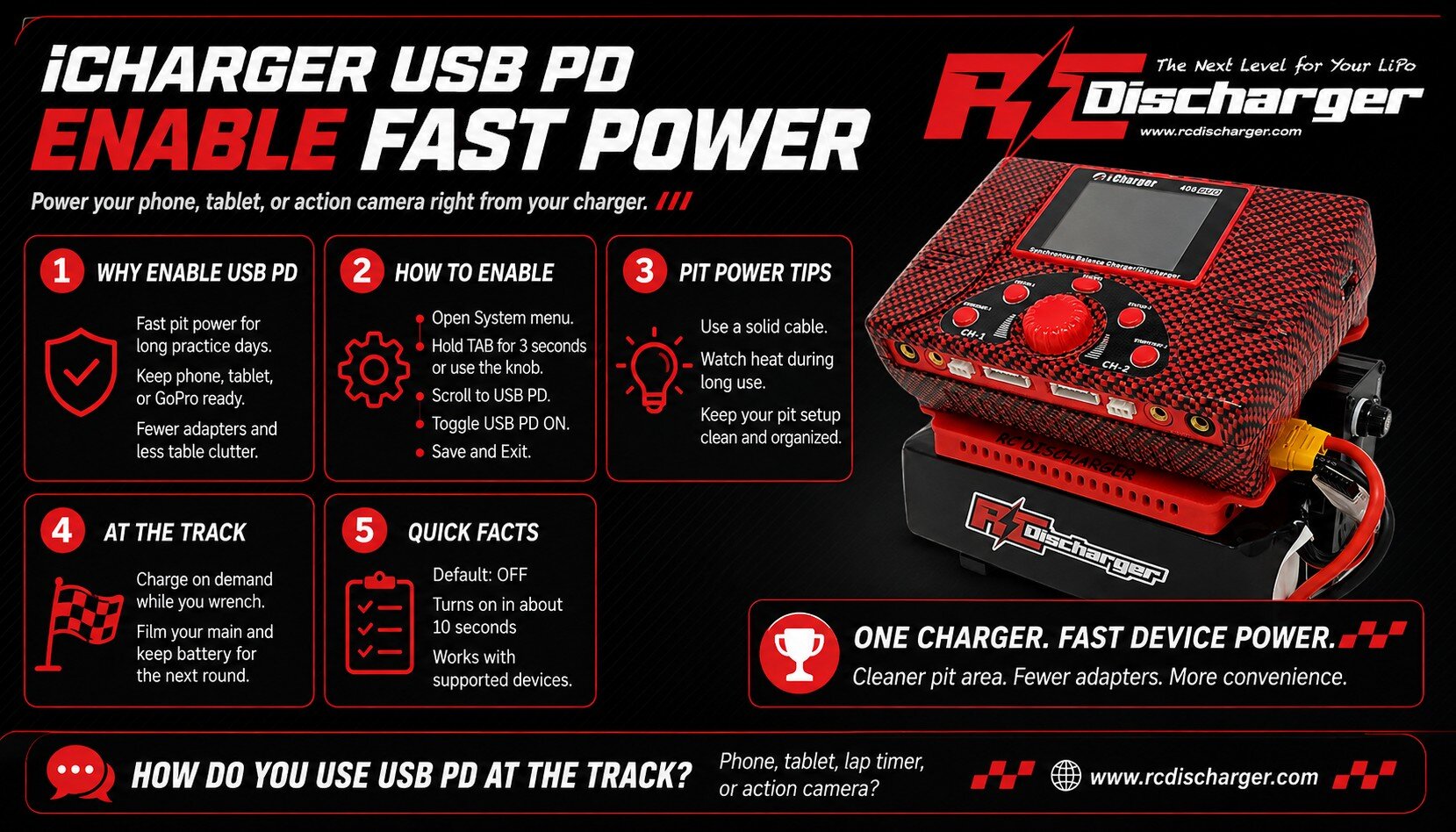
How to enable iCharger USB PD
Next, enable the feature from your System menu. However, button names can vary by model. Therefore, follow the steps below and match them to your charger’s controls.
- Access System Menu: Press and hold the Tab button for 3 seconds. Alternatively, use the Control Knob on DX6, DX8, or DX12 models.
- Navigate: Then scroll down to the USB PD setting.
- Activate: Now toggle it to USB PD ON.
- Finish: Finally, choose Save and Exit to keep the change.
Afterwards, plug in your USB-C cable and confirm your device starts fast charging. In addition, keep connectors clean and fully seated to avoid dropouts. Also, choose a short, high-quality cable when possible for better results.
Tips for safe, consistent track charging
First, watch cable temperature during high-power charging. Additionally, keep the charger ventilated and away from direct sun. Consequently, you protect both the charger and your devices. Finally, if a device charges slowly, try another cable or lower screen brightness.
For context, USB Power Delivery negotiates voltage and current for faster charging on supported devices. Moreover, you can review details on USB Power Delivery specifications.
Stay powered up all race day
Ultimately, you can film your main and still have battery for the next round. Meanwhile, you keep your pit simple with fewer chargers and bricks. As a result, you spend less time managing power and more time racing.
